



Product Updates
Booking Analysis: See who leaves vehicles booked but unused
10/22/2026, 3.217
RELEVANT FOR: Fleet Managers, Location Managers
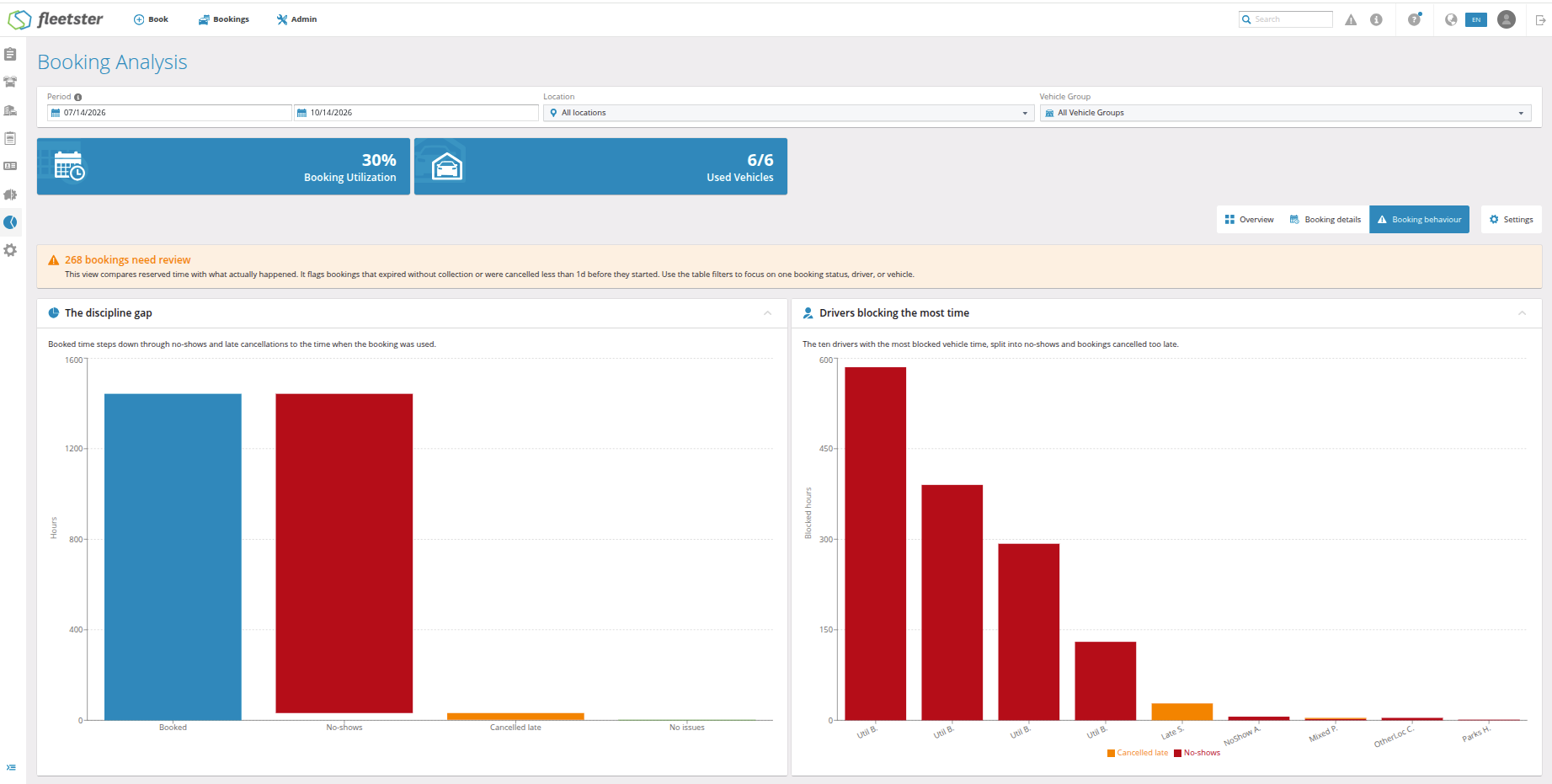
Booking Analysis has a new Booking behaviour tab. It shows which bookings kept a vehicle reserved but were never used, and which drivers made them, so you know exactly where your fleet loses time.
What's new:
- Unused bookings at a glance: A short message at the top tells you how many bookings need your attention, or confirms that everything is fine.
- Where the hours go: A simple chart starts with all booked hours and shows how many were lost to vehicles never picked up and to cancellations made too late, leaving the hours actually used.
- Top 10 drivers: A chart lists the ten drivers who blocked vehicles for the longest time without using them.
- Full list of bookings: A table lists every affected booking, which you can search by booking, vehicle, driver or status.
- Your own rule for late cancellations: In Settings, choose what "too late" means for your company: cancelled on the same day as the trip (default) or within a number of hours you choose.
Advantages:
- Talk to the right people: Speak directly with the drivers who block vehicles, instead of sending a general reminder to everyone.
- More vehicles available: Fewer wasted bookings mean more cars free for colleagues who really need them.
- No more searching: You no longer need to open bookings one by one to find out what went wrong.
Hardware: Vehicle Map in the new interface
10/22/2026, 3.217
RELEVANT FOR: Fleet Managers, Dispatchers
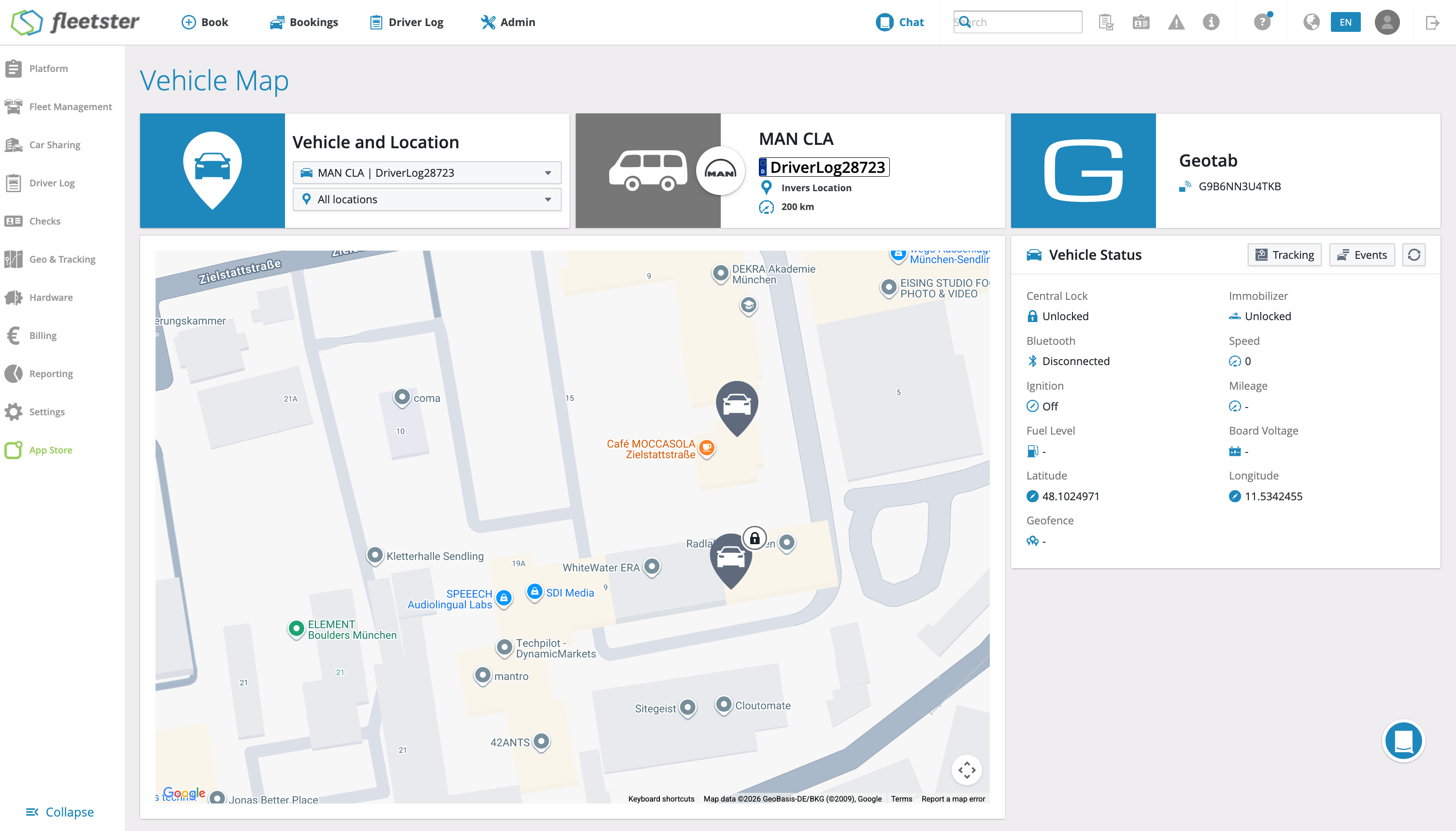
The Vehicle Map under Hardware has a fresh, modern design. You still see where your vehicles are, now in the same clear style as the rest of fleetster.
What's new:
- Refreshed design: The map and its controls have a cleaner layout that is easier to read.
- Consistent look: The Vehicle Map now matches the other pages in fleetster.
Advantages:
- Easy to use: Find your vehicles on the map quickly, with a clearer screen.
- Nothing new to learn: The map works the way you already know.
Billing: Billable Bookings in the new interface
10/22/2026, 3.217
RELEVANT FOR: Fleet Managers, Administrators, Accounting
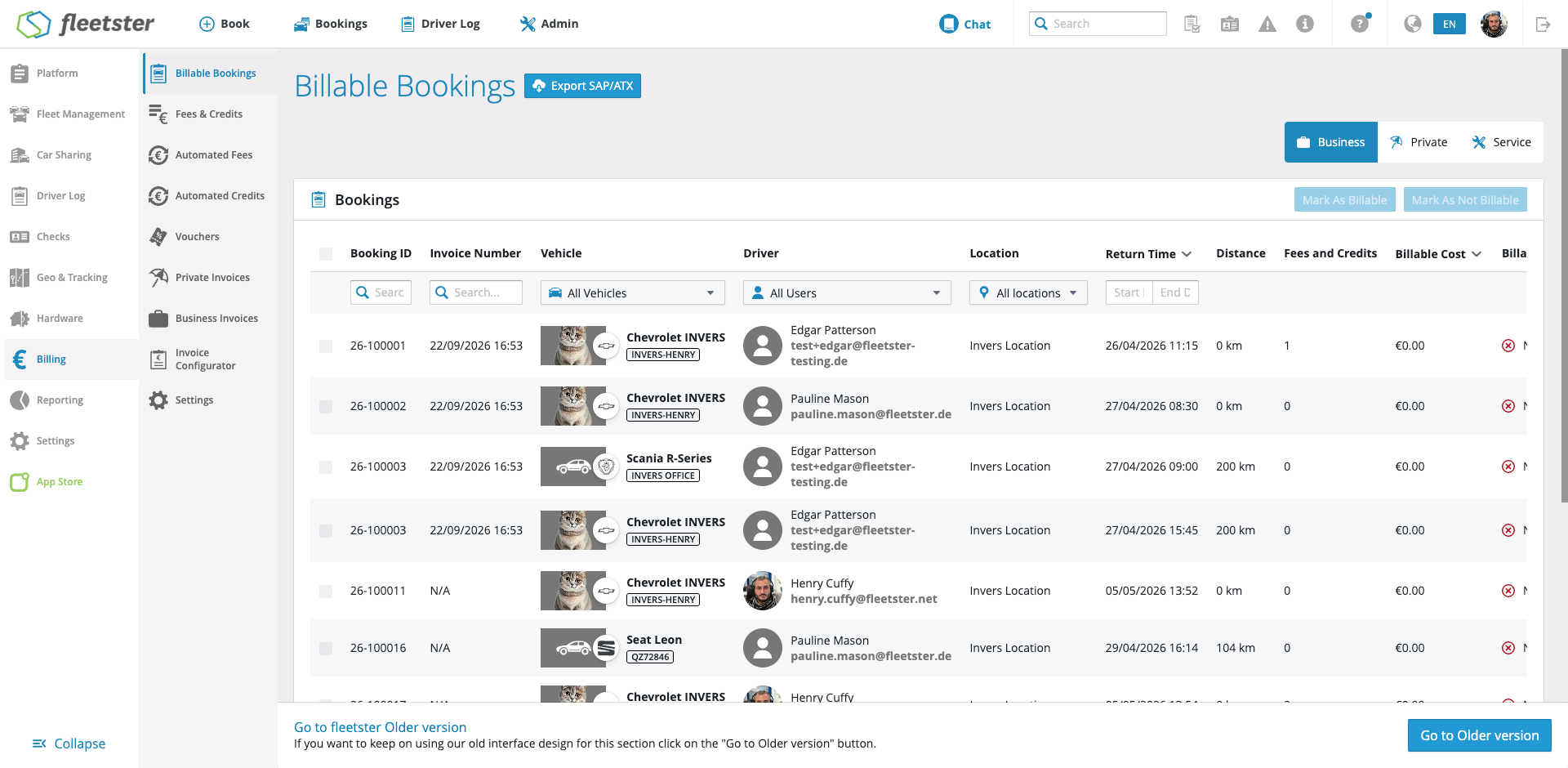
The Billable Bookings page now has the same modern look as the rest of fleetster. Everything you know stays where it is: the same bookings, columns, filters and actions.
What's new:
- Modern look: The page matches the design of the other fleetster pages you use every day.
- Same features as before: Review your billable bookings, filter and sort them, and mark them as billable or not billable just like before.
- Familiar booking details: Opening a booking shows the same detail view you already know from the booking list.
- Protection for invoiced bookings: Bookings that are already invoiced or have no cost cannot be changed by mistake.
Advantages:
- Nothing new to learn: You keep working exactly as you are used to.
- One consistent experience: All of fleetster now looks and feels the same, which makes moving between pages easier.
- Faster improvements: Future updates to billing can reach you sooner.
Analytics: TCO add sorting possibilities to costs breakdown
10/15/2026, 3.216
RELEVANT FOR: Fleet managers
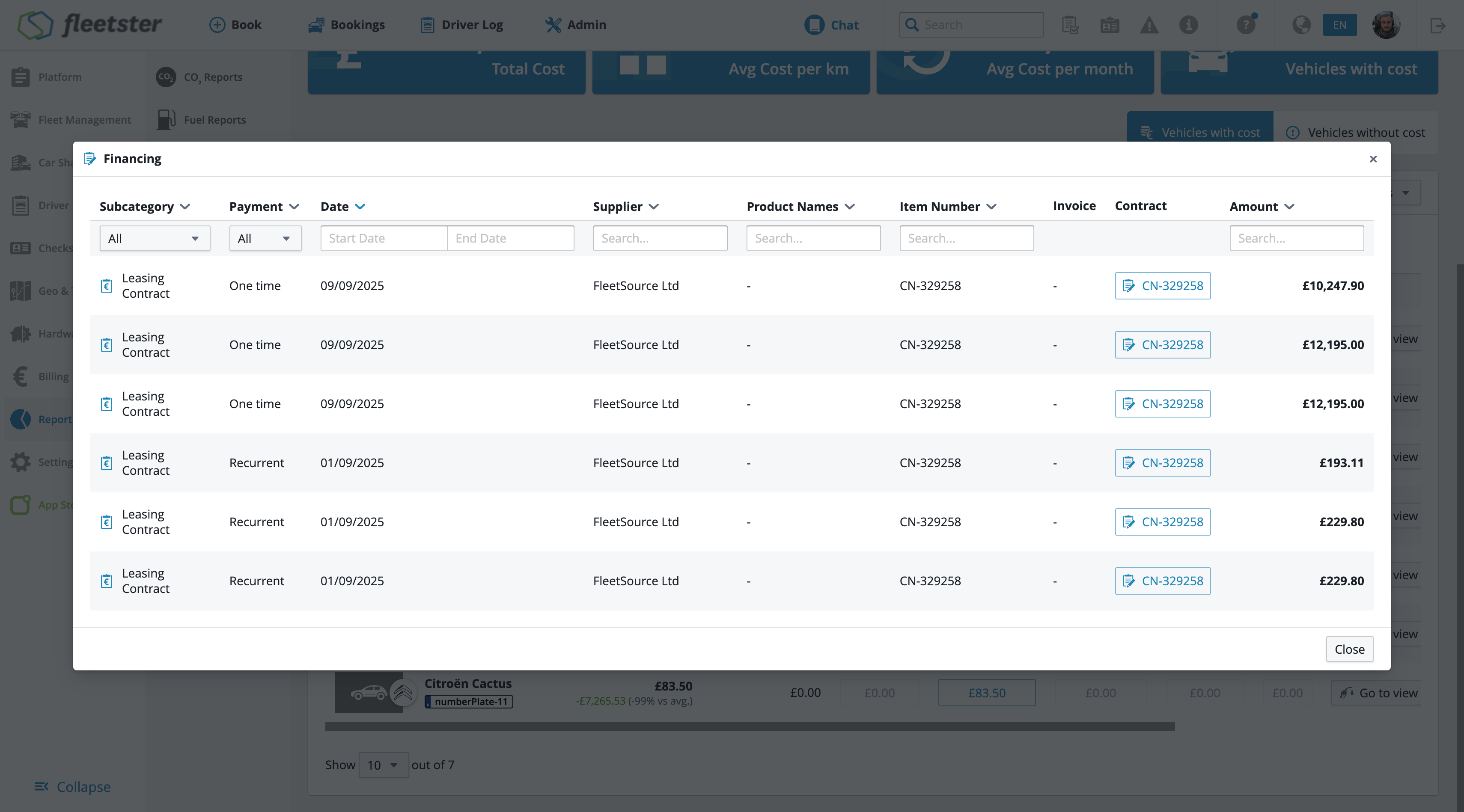
You can now sort the entries in the costs breakdown modal, making it easier to find and compare cost items at a glance.
What's new:
- Column sorting: Each column in the costs breakdown modal can now be sorted in ascending or descending order.
- Flexible analysis: Sort by any available field to quickly identify your highest or lowest cost entries.
- Instant results: Sorting is applied immediately without reloading the page, keeping your workflow smooth.
Advantages:
- Faster insights: Pinpoint the most significant costs in your fleet without manually scanning through unsorted data.
- Better comparisons: Rank entries side by side to spot patterns and outliers more easily.
- Improved usability: A more organized view means less time spent searching and more time acting on the data.
Analytics: TCO choose visible columns in the table
10/15/2026, 3.216
RELEVANT FOR: Fleet managers
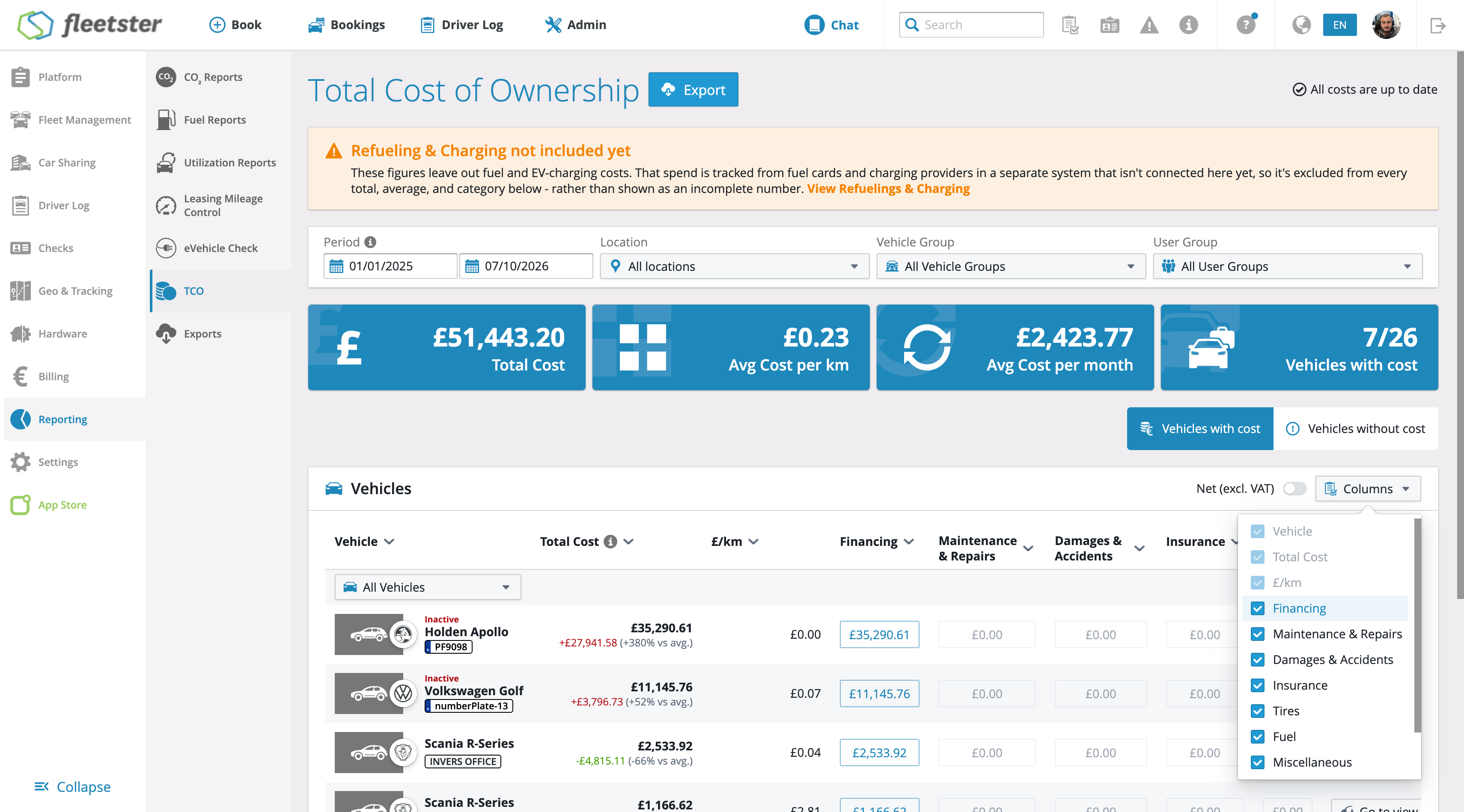
The TCO table now lets you choose which cost columns are displayed, so you can focus on the dimensions that matter most to your fleet without wading through irrelevant data.
What's new:
- Column chooser: Select which cost category columns appear in the TCO table, hiding any that are not relevant to your analysis.
- Cleaner view: Hidden columns are removed entirely from the table, making it easier to read and compare the figures you care about.
- Always-on essentials: Core identifying columns such as Vehicle and cost per month always remain visible, keeping the table meaningful no matter which optional columns you hide.
Advantages:
- Focused analysis: See only the cost dimensions relevant to your fleet, reducing visual clutter and speeding up decision-making.
- Easier reading: A narrower, tailored table is simpler to scan and share with stakeholders.
- Flexible to your needs: Different managers can adapt the view to their own priorities without affecting underlying data or calculations.
Analytics: TCO costs breakdown handle multiple currencies
10/15/2026, 3.216
RELEVANT FOR: Fleet managers & controllers
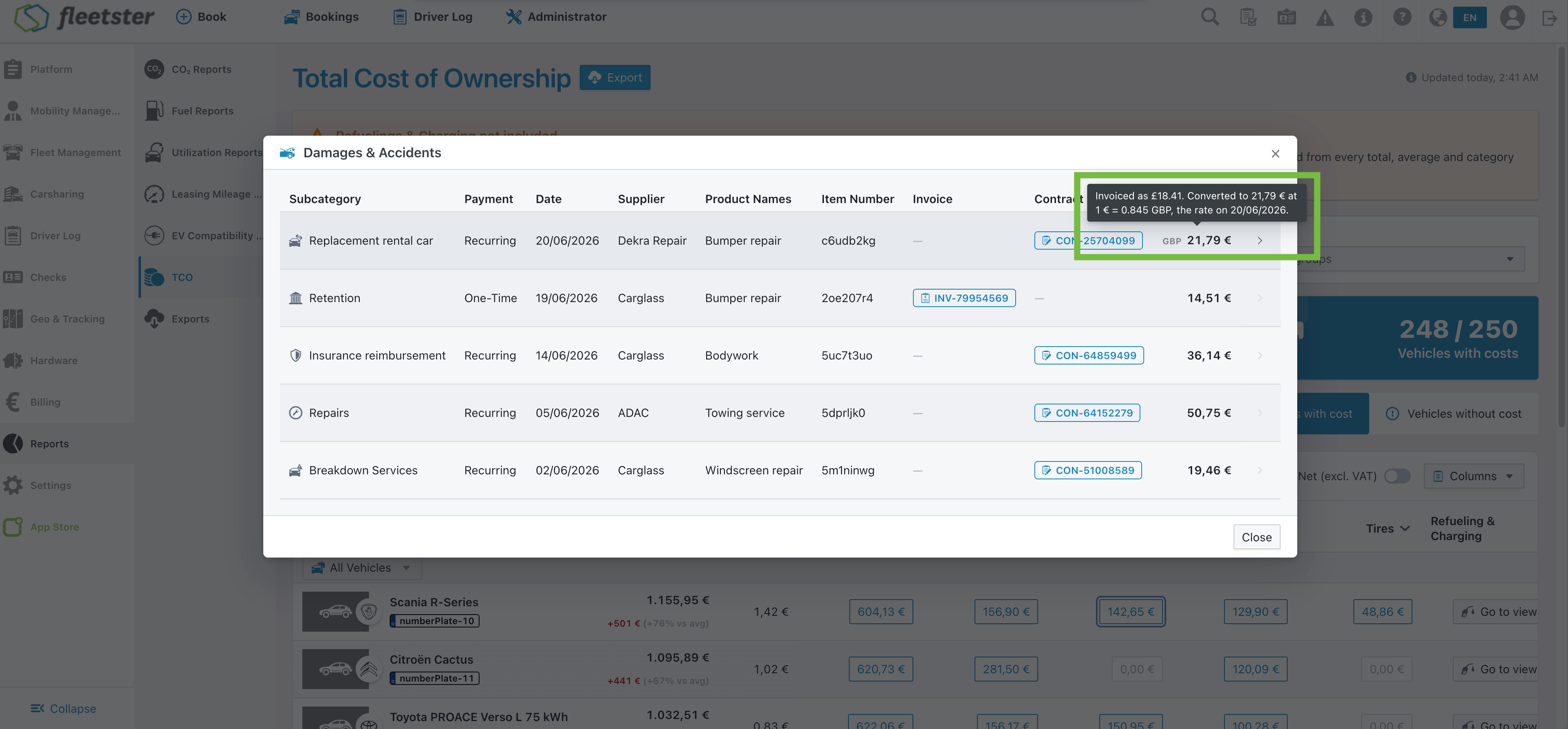
The TCO cost detail view now makes foreign-currency costs fully transparent, showing exactly where a converted figure comes from so you can reconcile it against any document or set of books without opening the original record.
What's new:
- Foreign currency indicator: When a cost was originally entered in a currency other than your company currency, a discreet currency code appears alongside the converted amount, making it immediately clear that a conversion has taken place.
- Conversion details on demand: Hovering or tapping the currency indicator reveals a tooltip with the original amount, the converted amount, the exchange rate used, and the date that rate applies to.
- Manual override visibility: If a converted amount was set by hand rather than derived from a rate, the tooltip says so explicitly — no rate is shown where none was used.
- Layout stays clean: The currency indicator is styled to complement rather than compete with the amount, and numeric columns remain neatly aligned.
Advantages:
- Effortless document matching: You can instantly connect a line in the TCO report to the invoice or contract on your desk, even when the currencies differ.
- Full audit trail: The exchange rate and its reference date are visible directly on the line, so any converted figure can be explained and verified without chasing down the source record.
- Clarity on manual adjustments: Knowing whether a conversion was automatic or manually set gives controllers the confidence to sign off on figures without ambiguity.
Analytics: TCO display when was last time calculated
10/15/2026, 3.216
RELEVANT FOR: Fleet managers & Control Tower admins
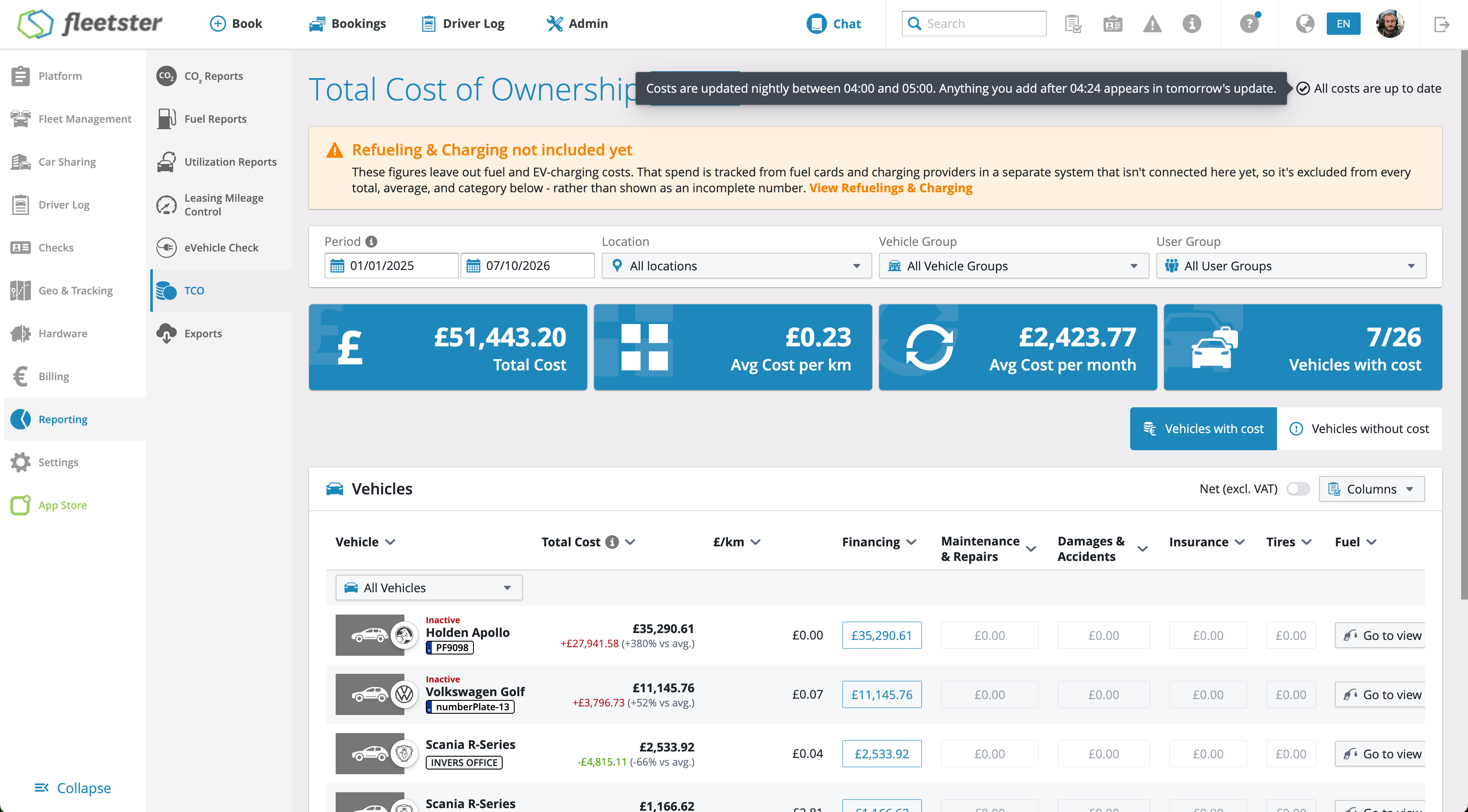
The Total Cost of Ownership (TCO) report now shows when its figures were last calculated, so you always know how fresh the data is before acting on it or sharing it.
What's new:
- Last-updated indicator: A clear, unobtrusive label in the TCO page header shows exactly when the most recent calculation completed — for example, "Updated today, 2:41 AM".
- Adaptive label: The label automatically adjusts based on how old the figures are, showing "Updated today", "Updated yesterday", or a specific date — so you never have to do the mental arithmetic yourself.
- Helpful tooltip: Hovering, focusing, or tapping the indicator reveals a short explanation confirming that TCO figures are recalculated once a day and that costs entered since then will appear after the next nightly update.
- First-run state: If no calculation has ever been run for a company, the indicator clearly shows "Not calculated yet" rather than leaving the page blank or ambiguous.
Advantages:
- No more false alarms: If you enter an invoice and the total hasn't changed yet, the indicator immediately explains why — saving you from re-entering costs or raising a support ticket.
- Confident reporting: Before exporting or presenting figures, you can see at a glance how current they are, so you never unknowingly share outdated data.
- Full transparency: Vehicles that appear without costs are easier to interpret — you can tell whether data is genuinely missing or simply hasn't been included in the latest calculation yet.
Login Tasks: Demo data now available in the main interface
10/15/2026, 3.216
RELEVANT FOR: Fleet managers
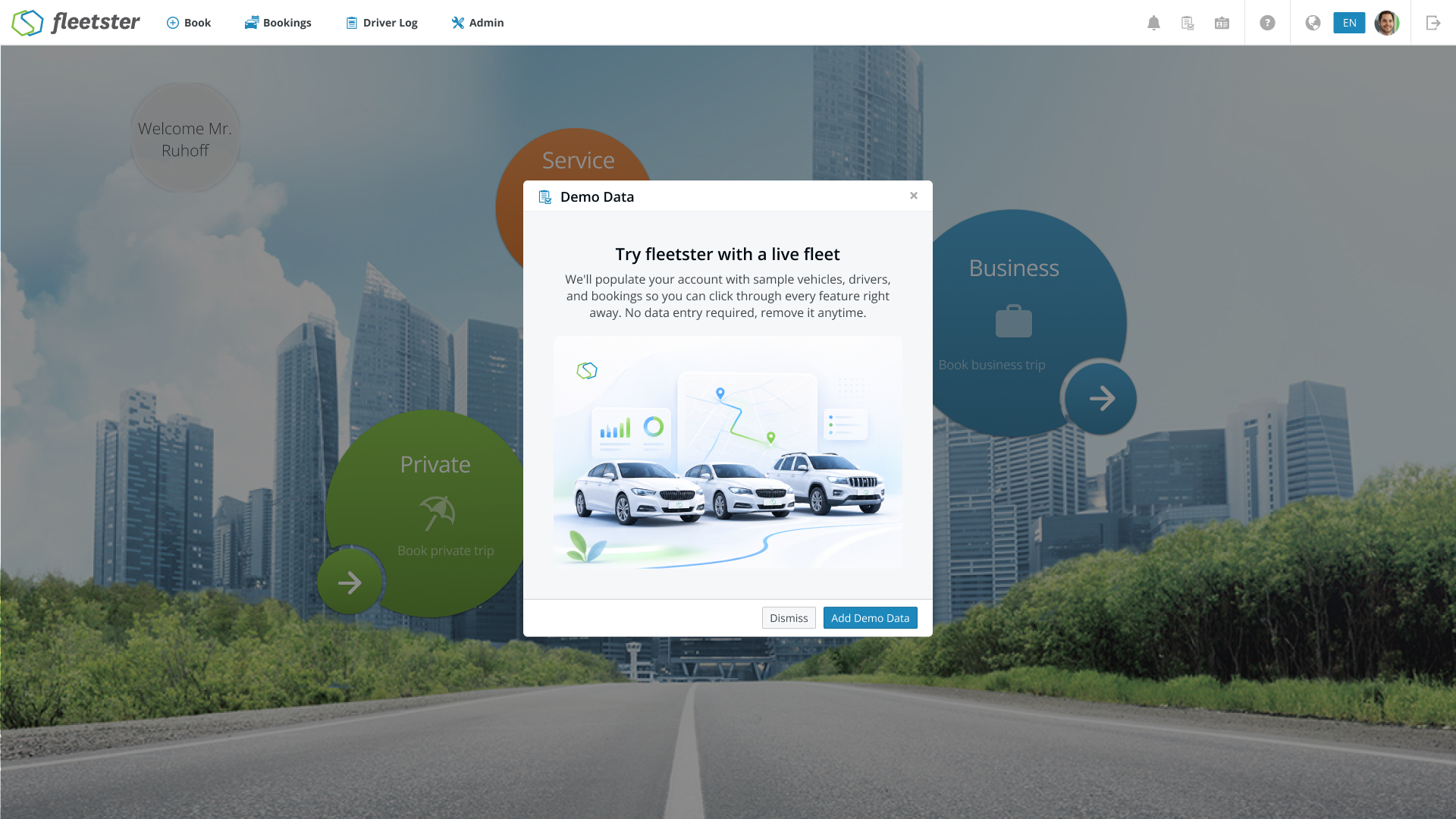
The login screen's demo data and onboarding popups have been refreshed as part of an ongoing platform modernisation effort, ensuring they continue to work smoothly and look exactly as expected.
What's changed:
- Demo data popup: The demo data popup on the login screen continues to appear and behave exactly as before, now running on the updated platform foundation.
- "Heard about us" popup: This onboarding popup is also fully preserved, with the same content, timing, and appearance as always.
- Visual consistency: Both popups maintain their familiar layout and styling, so the experience feels unchanged for users.
Advantages:
- Uninterrupted experience: Users see no disruption or difference in how these popups appear and function during login.
- Stable foundation: Running on a modernised platform means these popups are better positioned for reliability and future improvements.
- Consistent onboarding: New users and those exploring demo data continue to receive clear, familiar guidance right from the login screen.
Platform: Cookie Banner now available in the main interface
10/15/2026, 3.216

RELEVANT FOR: Fleet managers & drivers
The cookie consent banner has been redesigned and integrated directly into the main interface, giving users a cleaner, more consistent experience when managing their cookie preferences.
What's changed:
- Redesigned banner: The cookie consent bar now appears as a polished, fixed banner at the bottom of the screen, fully aligned with the rest of the interface.
- Localized content: The banner displays in your language, with properly translated headings, explanatory text, and the accept button.
- Country-specific information: The banner automatically links to the correct data-processing agreement for your country, opening in a new tab for easy reference.
- Seamless migration: Users who had already accepted the previous banner will not be prompted again — their prior consent is carried over automatically.
Advantages:
- No repeated prompts: Once you accept, the banner stays dismissed across reloads and future sessions, so it never gets in the way.
- Consistent experience: The redesigned banner fits naturally into the interface, replacing the older component with a modern, unified look.
- Relevant legal information at a glance: The correct country-specific policy link is resolved automatically, so you always see the information that applies to you.
Refuelling & Charging: Highway Fuel Station issues detection
10/15/2026, 3.216
RELEVANT FOR: Fleet managers
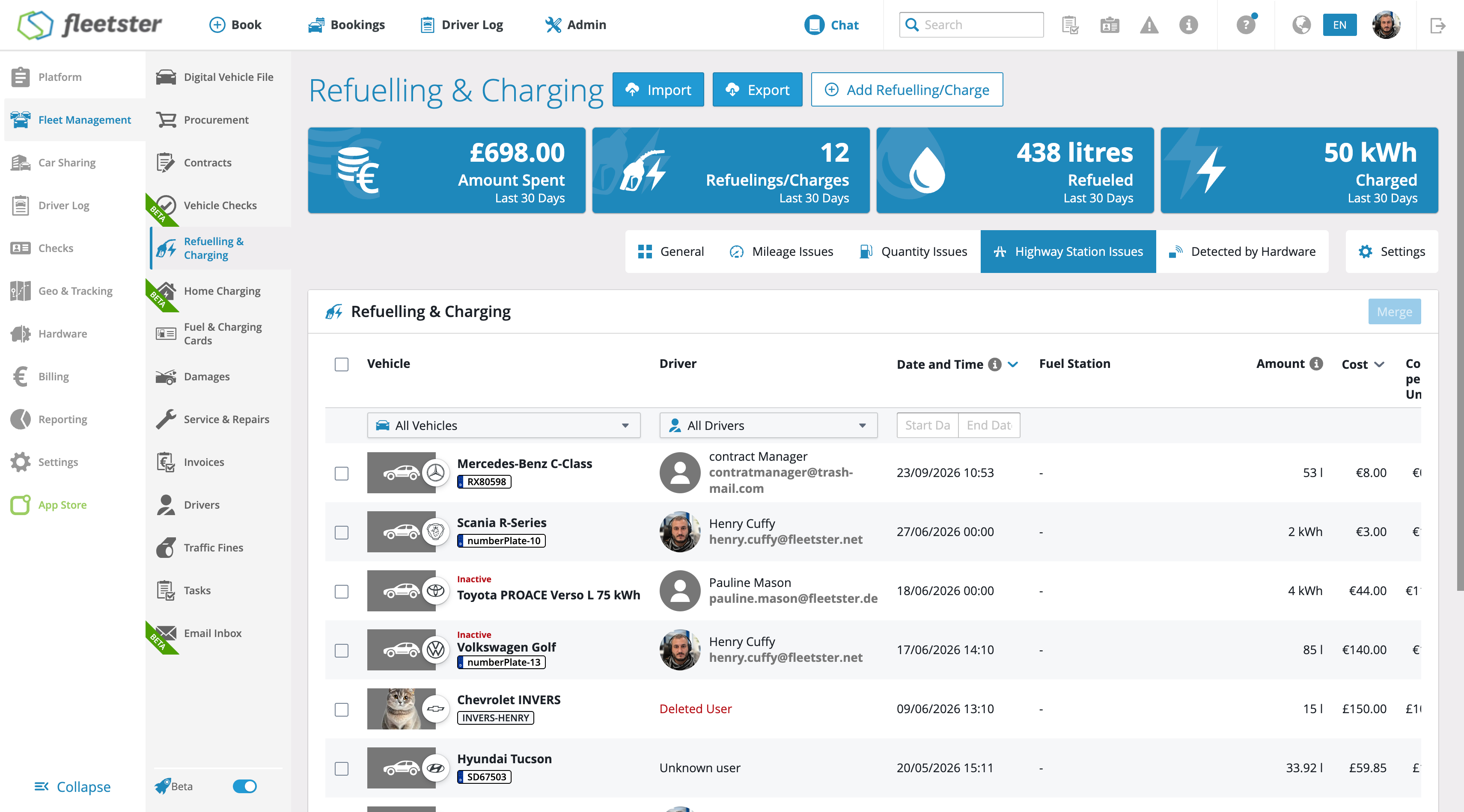
Refuelling at highway fuel stations can cost significantly more per litre than at regular stations, yet these events were previously invisible in the system. Fleet managers can now automatically detect, review, and act on highway refuelling entries — without relying on manual audits.
What's new:
- Highway Refuelling Issues tab: A dedicated tab in the Refuelling & Charging section surfaces all unresolved highway refuelling events in one place, including details such as vehicle, driver, fuel station, amount, and cost.
- Issue detail view: Opening an affected entry displays a clear highway refuelling alert alongside the relevant refuelling details, making it easy to assess the situation at a glance.
- Send Warning Email: Fleet managers can send a formal policy reminder directly to the responsible driver with a single action, including a confirmation step to prevent accidental sends. Once sent, the issue is automatically marked as resolved.
- Dismiss or reopen: If no notification is needed, the issue can be dismissed with a confirmation prompt. Dismissed issues can be reopened at any time if a follow-up is required.
Advantages:
- Full visibility: Highway refuelling events are automatically flagged and collected in a dedicated view, eliminating the need for manual cost reviews.
- Faster resolution: Fleet managers can notify drivers and close issues directly from the same screen, reducing the time from detection to action.
- Better cost control: Proactive driver communication helps reinforce fuel policy compliance and reduces avoidable overspend across the fleet.
User Profile: Invoice Details now available in the main interface
10/15/2026, 3.216
RELEVANT FOR: Fleet managers & drivers
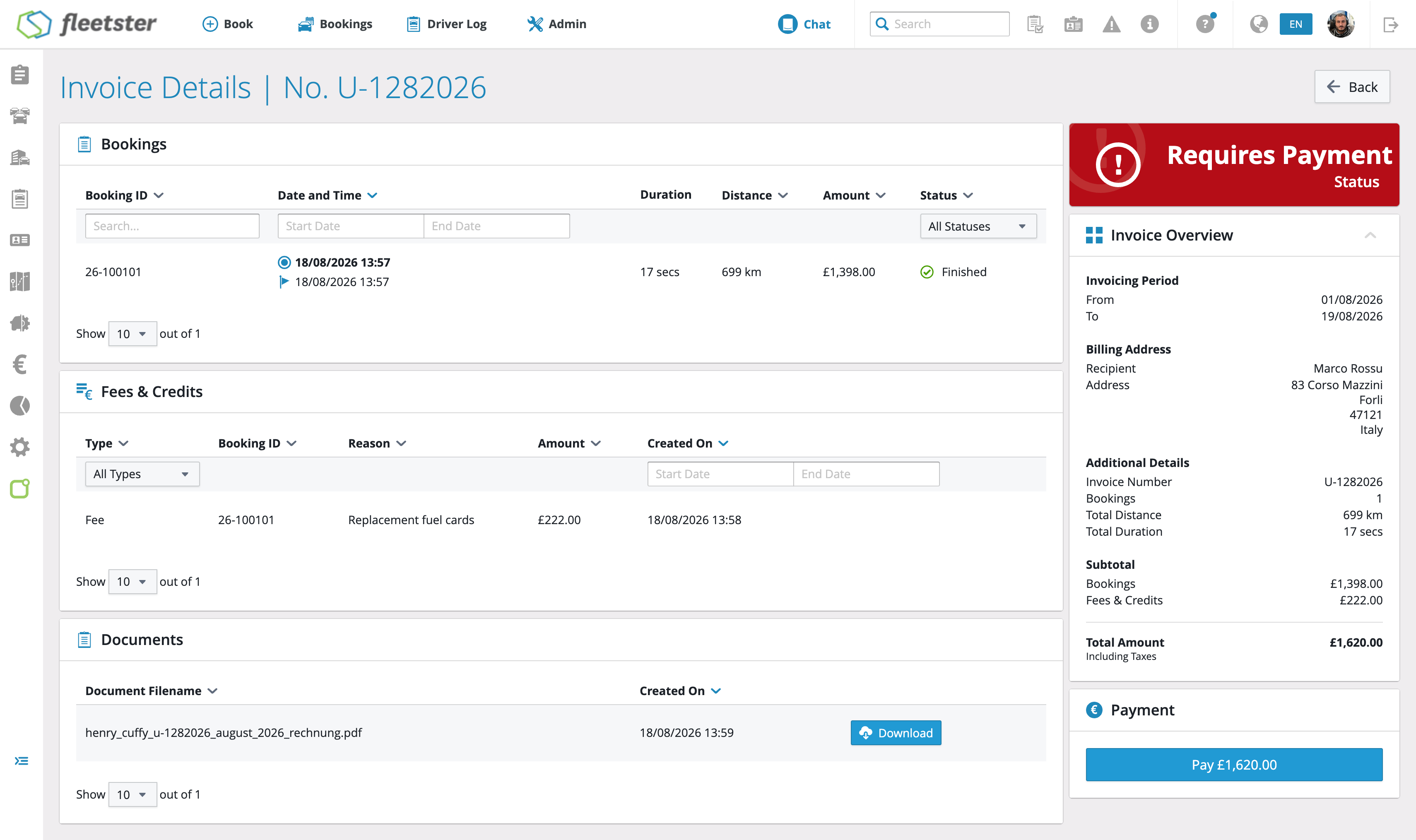
Invoice Details in the User Profile have been redesigned and are now fully integrated into the main interface, delivering a smoother and more consistent experience when reviewing billing information.
What's changed:
- Invoice summary: Key details such as invoice number, status, and invoicing period are clearly presented in a structured overview.
- Fees & Credits breakdown: Each line item now displays the associated booking, reason, type, amount, and creation date in a clean, easy-to-read list.
- Invoice documents: Linked invoice documents are accessible directly from the details view, without navigating away.
- Payment information: Credit card details and payment date are shown together in a dedicated section for quick reference.
Advantages:
- Consistent experience: Invoice details now match the look and feel of the rest of the platform, reducing friction when switching between sections.
- Faster access to billing information: All relevant invoice data — status, fees, documents, and payment — is available in one place without page reloads or context switches.
- Clearer financial overview: A structured breakdown of subtotals, fees, credits, taxes, and total amounts makes it easier to understand each invoice at a glance.
Analytics: TCO choose Net or Gross amounts
10/01/2026, 3.215
RELEVANT FOR: Fleet managers
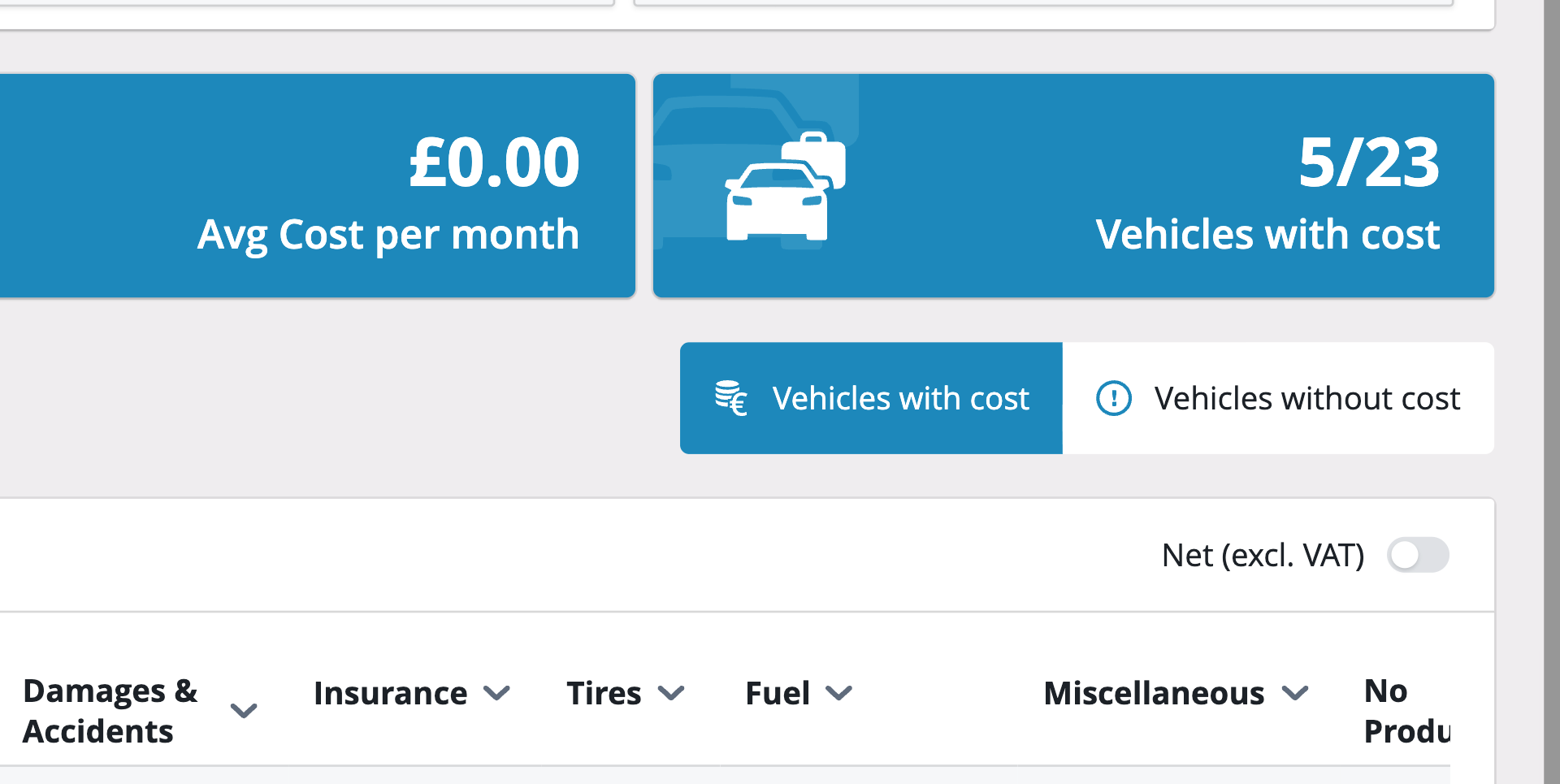
The TCO report can now display all costs in either net or gross amounts, so you can read figures in the format your finance process requires — without any manual conversion.
What's new:
- Net/gross toggle: A control at the report level lets you switch the entire report between net and gross amounts at any time.
- Universal update: Switching between net and gross instantly updates every monetary figure in the report, including the mini-analytics summaries.
- Net as default: The report opens in net view by default, keeping existing workflows unchanged.
- Consistent handling: Costs that have no tax information are clearly flagged when gross view is selected, so you always know which figures are complete.
Advantages:
- Saves time: No more manual conversions — switch to the view your finance team needs in one step.
- Reduces errors: Seeing gross figures directly in the report removes the risk of miscalculation when working with VAT-inclusive costs.
- Flexible reporting: The same report serves both net-based and gross-based workflows without any extra setup.
Analytics: TCO relative to the highest-cost vehicle
10/01/2026, 3.215
RELEVANT FOR: Fleet managers
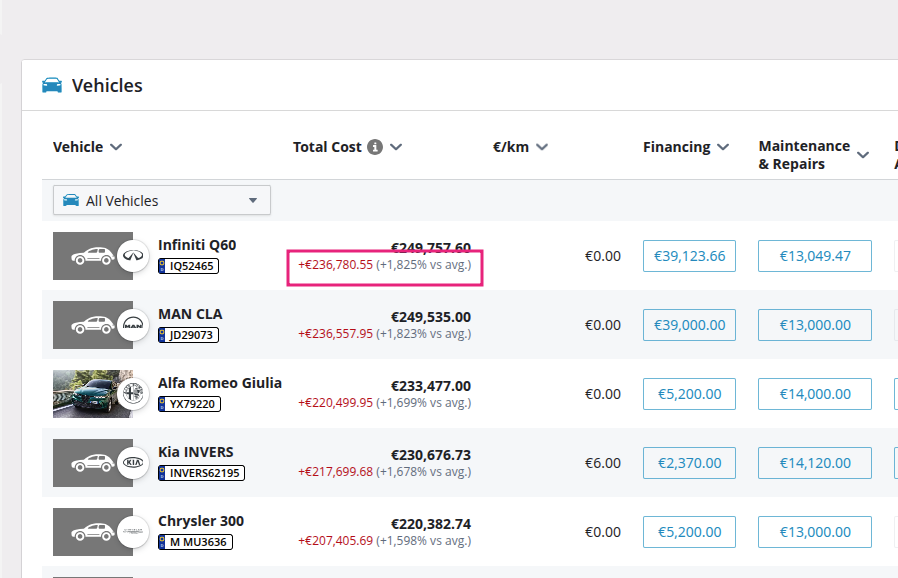
The Total Cost of Ownership report now includes a visual cost bar on each vehicle row, scaled against the highest-cost vehicle in the current list, so you can instantly spot outliers without comparing numbers line by line.
What's new:
- At-a-glance comparison: Each vehicle row displays a horizontal bar whose width reflects that vehicle's share of the highest cost in the list — no mental arithmetic required.
- Always in context: The bars automatically rescale whenever you apply a filter, change the sort order, or adjust the date range, so the widest bar always represents the current top-cost vehicle.
- Zero-cost handling: Vehicles with no recorded cost in the selected period show an empty bar cleanly, with no display errors.
Advantages:
- Faster outlier detection: Cost outliers stand out visually at a glance, reducing the time spent scanning rows of figures on large fleets.
- Accurate relative view: Because bars rescale with every list change, the comparison always reflects exactly what is currently on screen.
- Cleaner decision-making: A visual summary alongside the numbers makes it easier to prioritize which vehicles to investigate or act on.
General Settings: now available in the main interface
10/01/2026, 3.215
RELEVANT FOR: Fleet managers & Control Tower admins
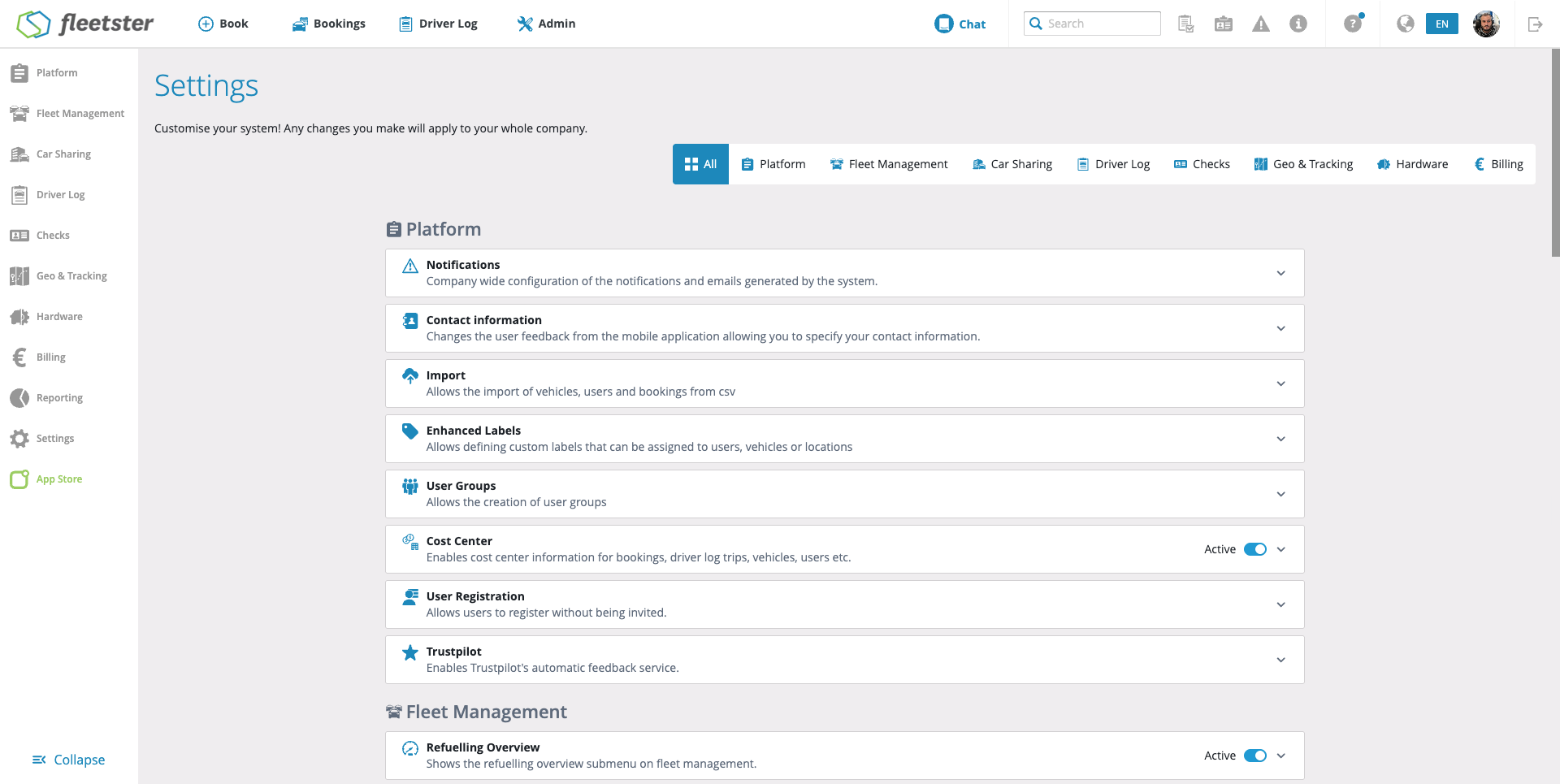
General Settings sections are now fully integrated into the main interface, giving admins a smoother and more consistent experience when managing company-wide configuration.
What's changed:
- Platform settings: All platform-level options are now available directly within the updated interface, with the same fields and behavior as before.
- Module settings: Settings for Fleet Management, Car Sharing, Driver Log, Checks, Geo & Tracking, Hardware, and Billing are all accessible as usual — nothing has moved, been added, or removed.
- Saved values preserved: Any configuration already in place carries over automatically — no re-entry or reconfiguration needed.
- Consistent access controls: Section visibility and editing rights remain exactly as they were, so each admin sees only what they could access before.
Advantages:
- No disruption to daily work: The settings pages look and behave identically to before, so there is nothing new to learn.
- Greater reliability: Running on the same modern foundation as the rest of the platform means a more stable and consistent experience across all admin tools.
- Foundation for future improvements: This update paves the way for upcoming enhancements to settings navigation and organization, coming in later releases.
Login Tasks: Legals now available in the main interface
10/01/2026, 3.215
RELEVANT FOR: All users
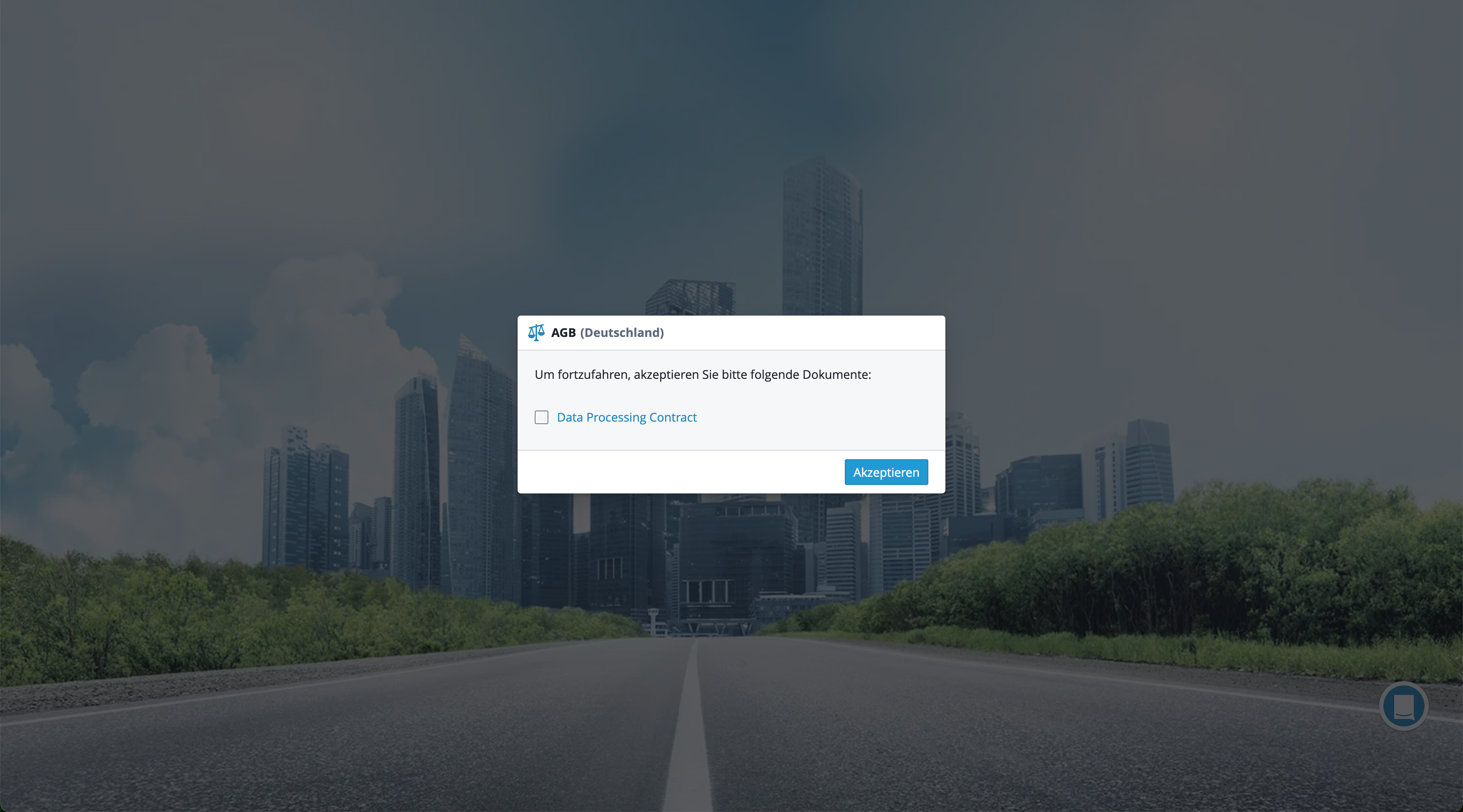
The onboarding flow for first-time login — including Terms and Conditions and Country Legals — has been rebuilt as part of the platform's modernized interface, ensuring a smoother and more consistent experience from the very first interaction.
What's changed:
- Terms and Conditions: The Terms and Conditions acceptance step now appears within the updated interface, matching the same content, validation, and completion behavior as before.
- Country Legals: The Country Legals acknowledgment step has also been brought into the modernized flow, presented in the correct order alongside other required onboarding tasks.
- Consistent experience: The entire first-login task sequence now runs within the same unified interface, eliminating any visual or behavioral inconsistencies users may have noticed previously.
Advantages:
- Smoother onboarding: Users completing required legal steps at first login now enjoy a consistent, polished experience from the very start.
- Reliable task completion: Onboarding steps are tracked and completed in the correct order, reducing the chance of steps being missed or repeated unexpectedly.
- Future-ready: The modernized foundation makes it easier to maintain and improve the onboarding flow going forward.
SSO: Support line manager via SCIM
10/01/2026, 3.215
RELEVANT FOR: Fleet managers & Control Tower admins
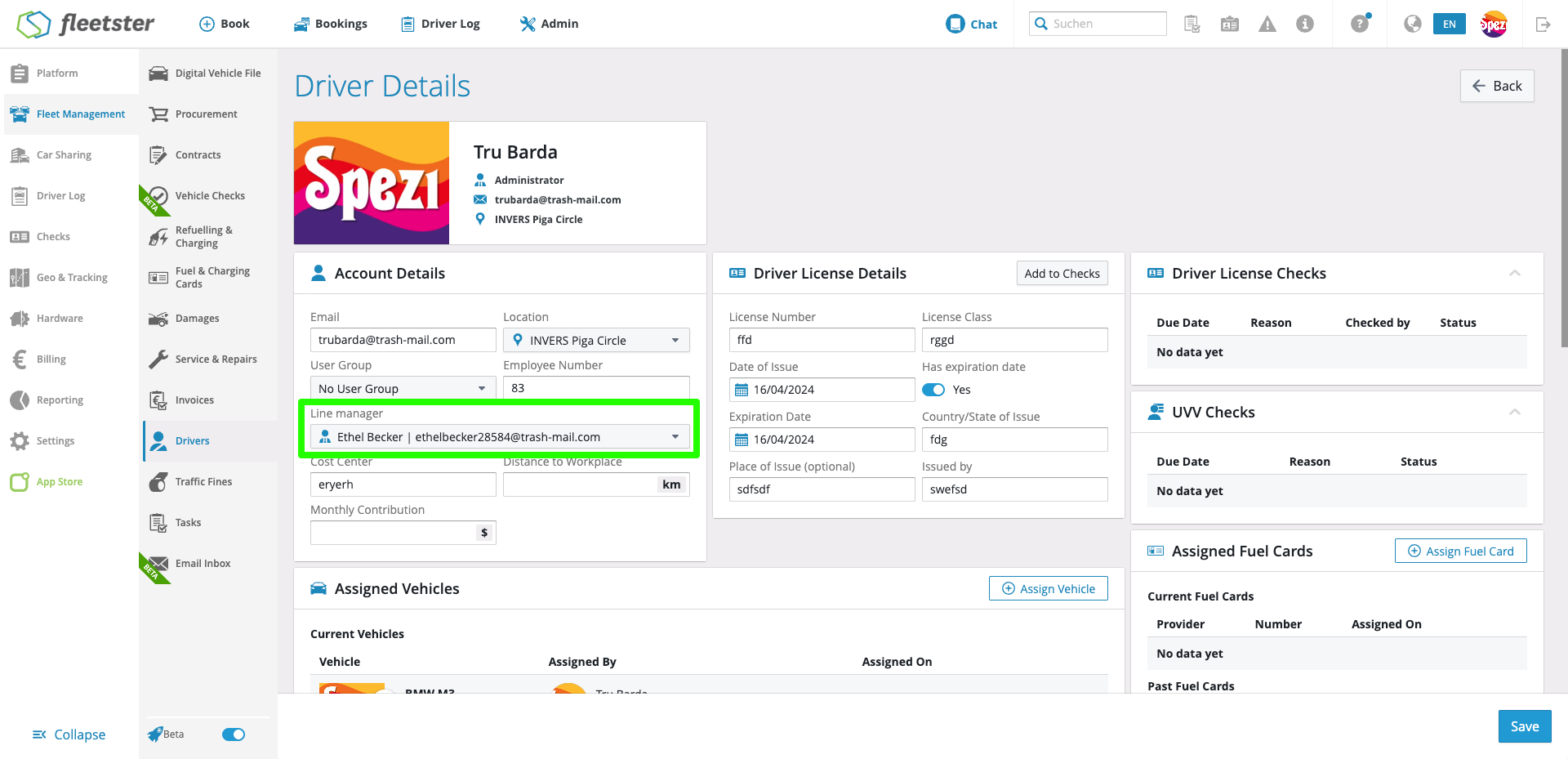
The SCIM integration now supports automatic synchronization of line manager assignments from Microsoft Entra ID, keeping your organizational hierarchy in fleetster accurate without any manual effort.
What's new:
- Automatic manager sync: When a user's line manager is set or updated in Microsoft Entra ID, that relationship is now automatically reflected in fleetster during SCIM provisioning.
- Manager changes handled seamlessly: If a user's manager changes in your identity provider, fleetster updates the assignment accordingly — no manual intervention needed.
- Manager removal supported: When a line manager is unassigned in Microsoft Entra ID, fleetster clears the manager field for that user, keeping records consistent.
- Works with existing users: The sync works reliably whether users were created through SCIM or were already present in fleetster before SCIM provisioning was set up.
Advantages:
- Always up to date: Organizational hierarchies stay in sync automatically, eliminating the need for fleet administrators to manually maintain manager relationships in fleetster.
- Reduced admin overhead: Changes made in your central identity provider flow through to fleetster without any additional steps, saving time and reducing the risk of outdated data.
- Consistent data across systems: A single source of truth for your org structure means fewer discrepancies between your identity provider and fleetster.
UX/UI: Add tooltips to the header menu items
10/01/2026, 3.215
RELEVANT FOR: All users
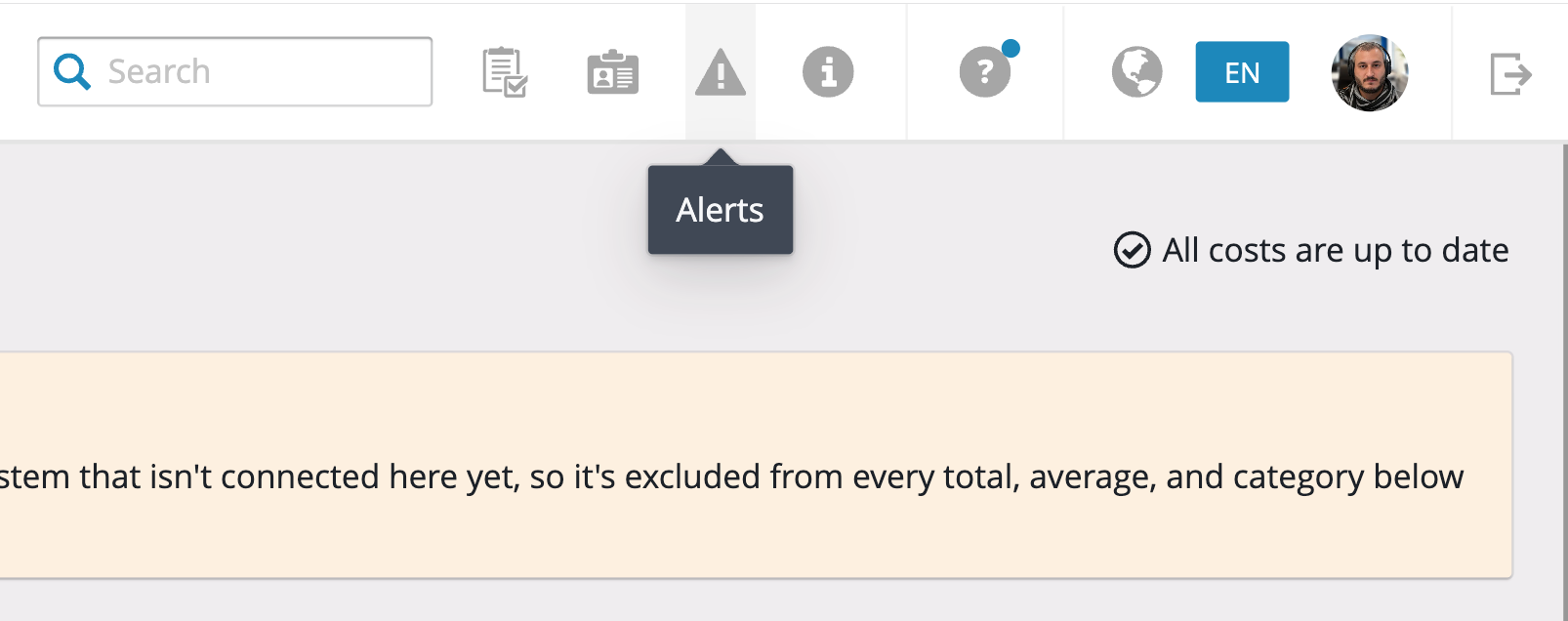
Header menu items now display tooltips on hover, making it easier to identify navigation options at a glance.
What's new:
- Hover tooltips: Moving the cursor over any item in the header menu now reveals a short label describing that item.
- Faster orientation: Users can quickly confirm where a menu item leads without needing to click or explore.
- Consistent experience: Tooltips appear across all header menu items, providing a uniform and predictable interaction throughout the platform.
Advantages:
- Reduced guesswork: Users always know what a menu item does before clicking, reducing accidental navigation.
- Improved accessibility: Clear labels on hover support users who are less familiar with icon-based navigation.
- Smoother workflow: Quicker orientation in the menu means less time spent navigating and more time focused on tasks.