



Booking Analysis
See how well your vehicles are really used, and where your fleet could work harder or cost less.
What is Booking Analysis?
Booking Analysis looks at your bookings and shows how much of the time your vehicles could be booked they actually are.
It only counts the hours each location is open, so a car isn't marked as unused overnight or on days the location is closed. This gives you a realistic picture of utilisation, from the whole fleet down to the individual vehicle.
Booking Analysis is included in the ENTERPRISE package of the Corporate CarSharing software.
What does Booking Analysis show you?
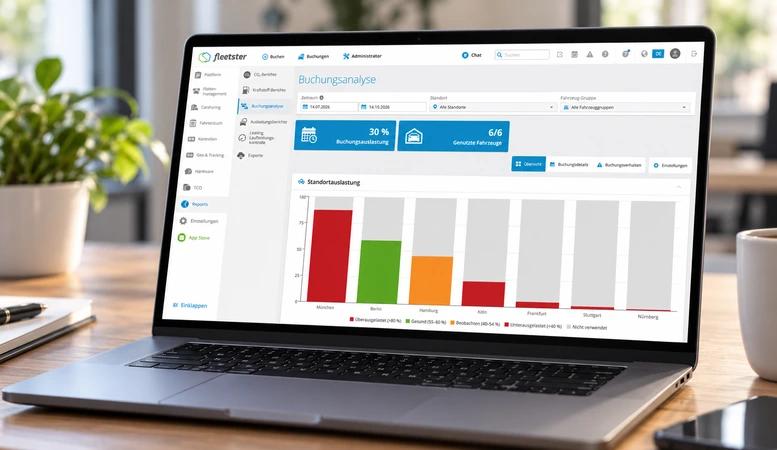
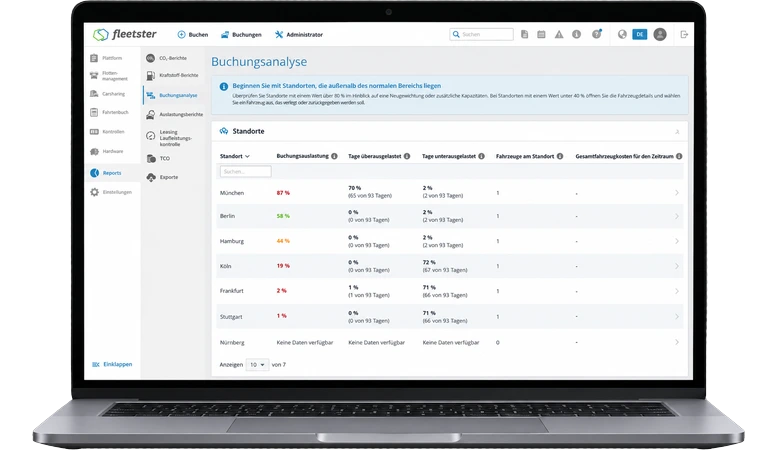
- See the big picture at a glance: The Overview shows how many vehicles are in use, what we recommend you do and how much you could save each month. A map and a list show which locations are too busy, which are healthy and which have more cars than they need. Open any location to see its individual vehicles.
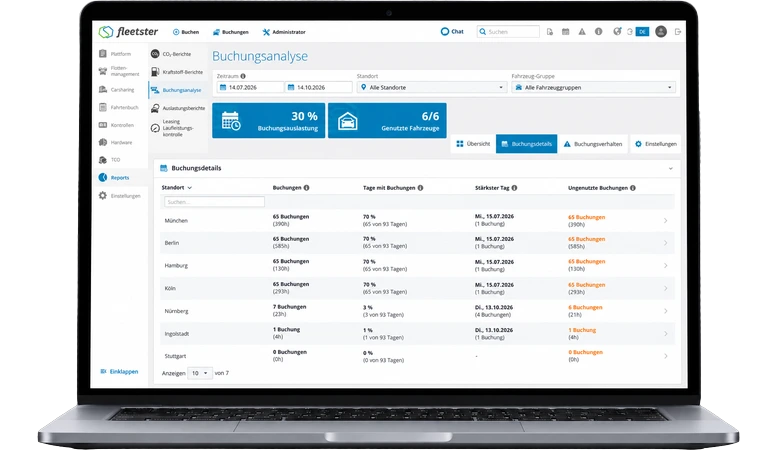
- Find wasted bookings: Booking details shows how many bookings each location had, its busiest day and how often cars were booked but never used. That tells you where late cancellations and no-shows keep vehicles away from people who need them.
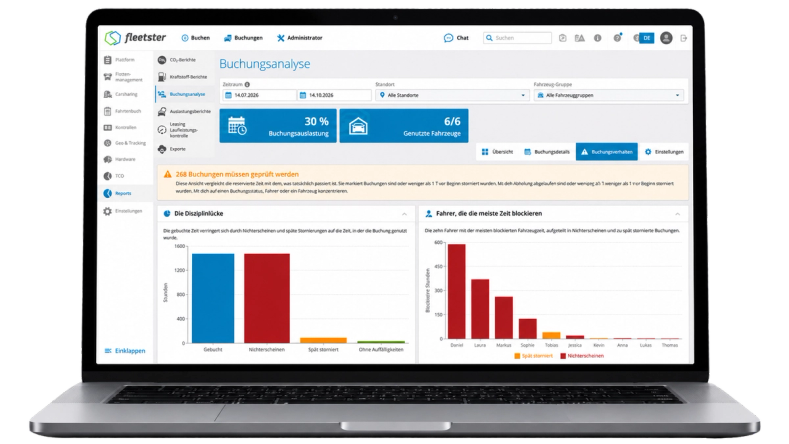
- Catch booking habits that block the fleet: Booking behaviour lists bookings worth a closer look: cars that were never picked up, cars that were booked for much longer than they were used and bookings cancelled at the last minute. It also shows which drivers block the most time.
- Choose what counts: In Settings you can leave business, private or service bookings out of the figures, and decide how close to the start a cancellation has to be to count as late.
What do you need to set up before you start?
Make sure each of your locations has its opening hours set up. Without them, Booking Analysis can't tell how much time the vehicles there could have been booked, so locations without opening hours are left out of the report. If any are missing, the report shows a reminder.
You'll find Booking Analysis in fleetster under Reports → Booking Analysis.
Would you like to see Booking Analysis live?
In a free online demo, we'll show you how Booking Analysis works and what it reveals about your fleet.
